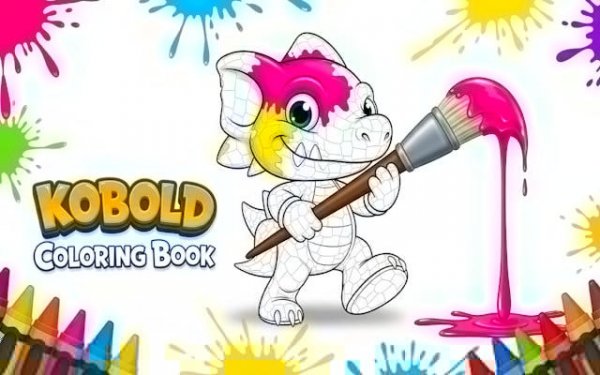
Mythical Beings Color Art Studio
Review
Mythical Beings Color Art Studio delivers a genuinely relaxing coloring experience. The gallery offers a nice variety of imaginary creature line art, and the palette provides enough colors to produce unique results each time. The zoom feature is particularly useful for detailed sections, and the auto‑save removes any worry about losing progress. The undo function gives freedom to experiment without fear. While it lacks print or share options, the core activity is polished and accessible. It is an excellent choice for anyone seeking a low‑pressure creative outlet.
About This Game
Gallery of Imaginary Subjects
The collection features line art of various mythical beings, from gentle forest spirits to whimsical winged creatures. Each drawing is divided into distinct sections, allowing for precise color application. New illustrations are added on a regular basis, giving returning players fresh material to work with.
Color Selection & Application
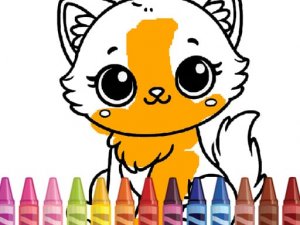
A palette of diverse colors is displayed on the screen. Players tap or click a hue, then touch any area of the drawing to fill it instantly. The interface responds quickly to input, making the process feel fluid. There is no penalty for changing colors mid‑stroke, encouraging free experimentation.
Zoom & Detail Work
For those who enjoy fine detail, a zoom function lets users enlarge specific portions of the artwork. This makes it easier to color small or intricate sections without accidentally overlapping boundaries. The zoom level can be adjusted at any moment, giving full control over the viewing area.
Progress Preservation
The application automatically saves the current state of each coloring project. Players can leave partway through and return later to continue exactly where they stopped. This feature removes the worry of losing completed work and supports a relaxed, non‑linear creative process.
Undo & Redo Options
Mistakes are easily corrected with built‑in undo and redo functions. If a section receives a color that does not look right, a single action reverses the change. This safety net encourages bolder color choices, as any misstep can be quickly undone without restarting.
Accessible to All Skill Levels
The controls are designed to be intuitive for young children and adults alike. No reading or complex instructions are required to begin. The lack of time pressure and scoring makes it suitable for those seeking a quiet, meditative activity as well as for beginners exploring color theory.




Comments
0 comments