Workspace Creator - Virtual Office Design
Review
Workspace Creator succeeds by removing all pressure from the design process. The item catalog, while not enormous, covers enough variety for distinct looks. Drag controls feel precise on both mouse and touch. The lack of timers or scores means every session is purely about personal expression. Sharing via screenshot adds a light social layer without forcing interaction. For anyone wanting a calm, creative break without commitment, this game delivers exactly that.
About This Game
Core Design Philosophy
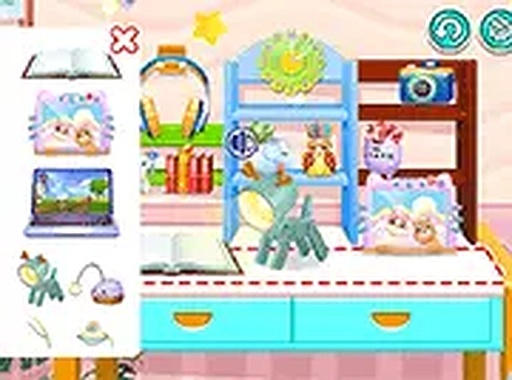
Workspace Creator focuses on the joy of arranging items without pressure. Players start with an empty desk and a catalog of objects like stationery, electronics, and greenery. The absence of points or time limits encourages experimentation. Each session becomes a personal project where the only goal is visual satisfaction. This approach suits those who enjoy interior styling but prefer a digital canvas without real-world costs or cleanup.
Item Selection & Placement
The available decorations cover common office essentials: notebooks, monitors, desk lamps, potted succulents, and decorative clocks. Players drag each item from a sidebar onto the desk surface. The system allows free rotation and fine-tuned positioning, so objects can overlap or align precisely. There is no grid snapping, which gives a natural, unconstrained feel. This flexibility supports both minimalist layouts and cluttered, cozy setups.
Visual Feedback & Atmosphere
The interface uses soft colors and simple icons to maintain a low-stimulation environment. Items cast subtle shadows that shift based on placement, adding depth to the composition. The desk surface has a wood-grain texture, and the background is a neutral wall color, keeping the focus on the arranged objects. These visual details make the final screenshot look polished without requiring advanced design skills.
Sharing & Community Inspiration
After finishing a layout, players can capture a screenshot using their device's built-in tools and upload it to their profile. This feature allows others to view and draw ideas from completed designs. Browsing shared workspaces can spark new approaches to color coordination or object grouping. The community aspect remains optional, so introverted creators can enjoy the game privately.
Accessibility & Performance
The game runs directly in web browsers on both computers and touchscreen devices. No downloads or installations are needed, and it works in full-screen mode for an immersive view. The controls are optimized for mouse drag on desktop and finger swipe on mobile, with responsive touch targets. Loading times are short, and the interface remains smooth even on older hardware, making it easy to pick up during short breaks.

Comments
0 comments