

Charming farm game with simple taps and fun upgrades. Great for all ages.

Relaxing idle game with strategic depth. Building a phone company is satisfying and easy to learn.

A fun, safe 3D puzzle game that sharpens observation skills with a light mystery theme.

Engaging turn-based combat with clear progression. A safe fantasy adventure for all ages.
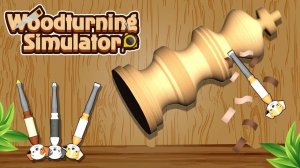
Calming and satisfying puzzle game. Great for short breaks and creative relaxation.

Engaging physics puzzles with multiple solutions. Clean design and smooth gameplay make it ideal for quick breaks.

Bright, cheerful arcade fun with a crypto twist. Easy to play and safe for all ages.

Clean 3D visuals and smooth controls. A relaxing puzzle game that challenges timing and aim.

Clean design and smooth gameplay. Great for short breaks with strategic depth.

Strategic aiming and treasure hunting make each level a satisfying puzzle. Great for quick play sessions.

Clean parkour action with clever traps. Good for quick reflex training.

Clever ricochet puzzles with simple controls. Great for quick mental breaks.

Strategic puzzles with clean design. Great for quick mental challenges and planning enthusiasts.
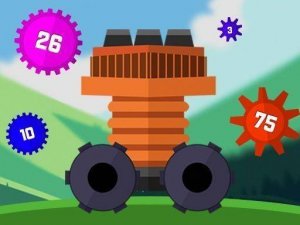
Clean design and smooth gameplay. Great for short breaks and strategic thinking.

A calm puzzle adventure with clever challenges and a safe, engaging story.

A colorful and relaxing marble puzzle game with friendly characters and engaging levels.

A colorful and relaxing puzzle game with clever candy swaps and hundreds of levels for endless fun.

A relaxing 3D bubble shooter with strategic bounce mechanics and beautiful Aztec visuals.

A fun, colorful bubble shooter that combines match-3 strategy with cute creatures. Great for quick breaks.

A polished arcade breakout game with 20 unique levels and strategic gameplay.

Spooky atmosphere without being too intense. Simple controls make it easy to play.

Engaging blend of farming and tower defense. Smooth controls and rewarding progression. Great for casual players.

Addictive progression with clear goals. Idle income makes it easy to return and grow your empire.

Realistic physics and satisfying challenges. Great for honing driving skills in a safe environment.

Creative and relaxing. Great for art lovers who enjoy business simulation. Clean design and smooth gameplay.

Clean controls and beautiful skies. A satisfying challenge for quick breaks or long sessions.

A clever mix of action and city building that keeps you coming back for more.

Engaging city exploration with clear missions. Smooth controls and a positive hero story make it enjoyable.

Clean puzzle design with satisfying pops. Great for quick mental breaks and casual play.

Strategic turn-based bubble shooter with colorful visuals. Great for puzzle fans who enjoy planning each move.

Engaging match-3 puzzles with a crafting twist. Clean design and smooth gameplay. Great for short breaks.

Charming farm theme with smooth gameplay. Perfect for relaxing breaks and quick puzzle sessions.

Simple controls and fun trails. Great for quick gaming sessions with friends.

Cozy and clever puzzles. A relaxing escape with a warm home setting.

Charming art and witty writing make this demo a delightful mystery puzzle for quick play.
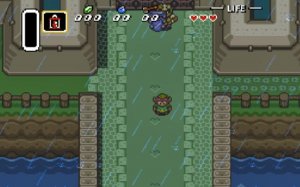
Charming pixel art and clever puzzles. A must-play retro adventure for all ages.

Smooth driving mechanics and a peaceful open world. Great for relaxing sessions.

Bright and engaging simulation that teaches kids shopping skills. Simple controls and positive feedback make it a winner.

Charming farm simulation with simple mechanics. Great for relaxing breaks and family play.

A fun and quirky simulation game. Great for players who enjoy creative restaurant management with a spooky theme.

Calm and colorful arcade fun. Easy controls and relaxing ocean visuals make it a great break.

Charming and relaxing. Easy controls and cute Kobolms make this a great family game.

Charming visuals and easy mechanics. Perfect for relaxing breaks.
Relaxing and satisfying carving puzzles. The 3D graphics are clear and the controls are smooth.

Relaxing farm builder with charming animals and smooth progression. Perfect for casual play.

Smooth controls and creative stunt tracks. Great for quick gaming sessions.

Fast-paced team game with clear controls. Bomb dodging adds excitement. Great for group play.

Realistic drifting with smooth controls. The upgrade system keeps you engaged. A solid arcade racer.
